
Overview
We are reaching out to share an important update regarding your Freshteam account. We are notifying you that we will be sunsetting Freshteam as we shift our focus toward building a more unified and powerful employee experience platform.
Freshteam Sunset important dates
7th March 2026 -
If your subscription renews between now and March 7th, 2026, there will be no change in your renewal.
Free customers account expiry,
Half yearly and Annual renewals will be cancelled (Auto) and restricted (Manual)
Monthly renewals (Manual and Auto) will alone continue to be available (till 7th June)
7th June 2026 - All renewals will be stopped
Platform access:
Freshteam will remain accessible for 90 days after your subscription end date to help support you migrating your data out of the system.
Data access and export:
After your subscription ends, you will have 90 days to export your data.
Data export is now available in your product experience under: Admin settings → account → export account data
What you need to do
Export your data within the 90-day window after your subscription ends.
For support, contact support@freshteam.com.
Steps to export account data
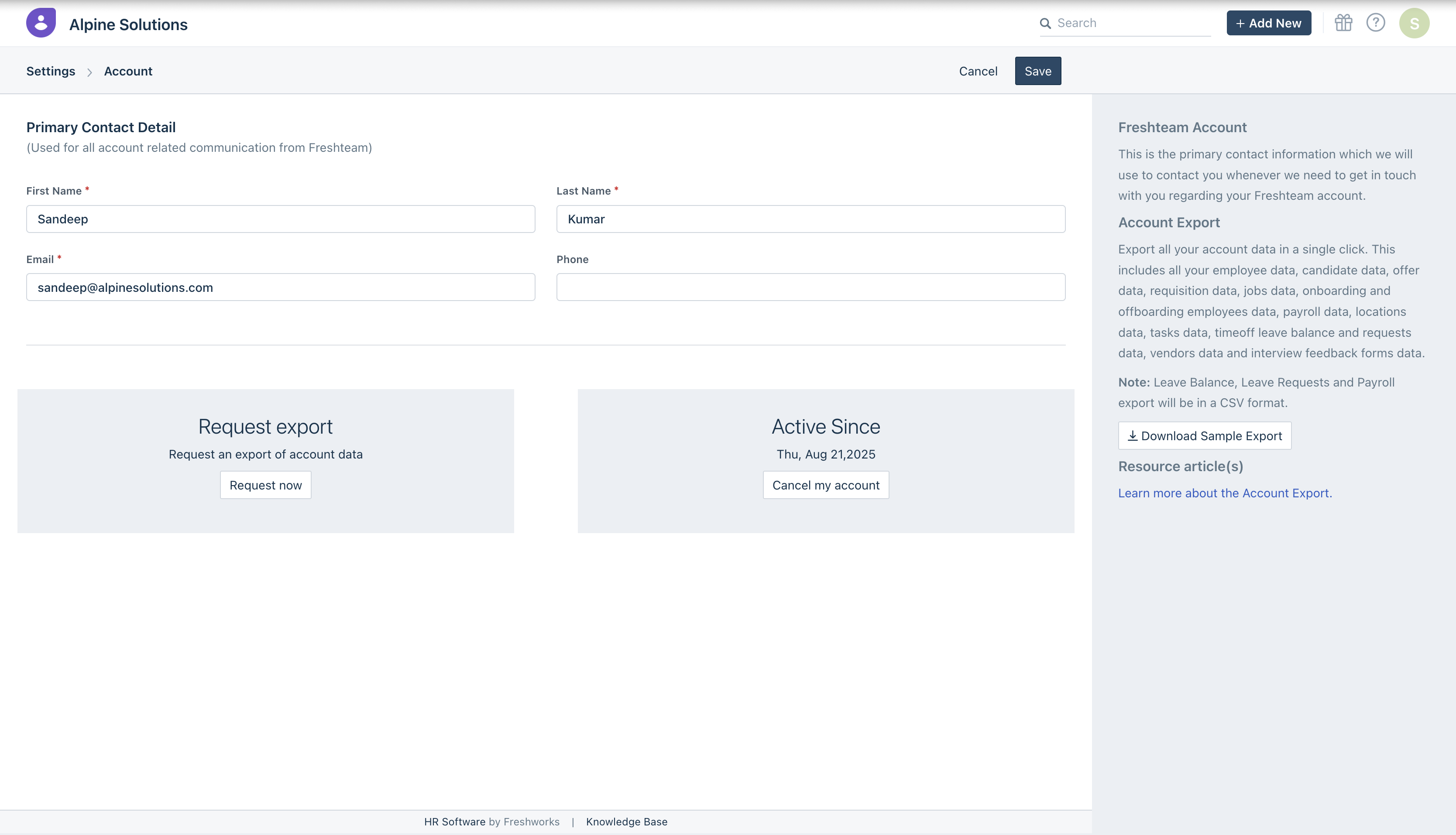
From the Deprecation announcement, Account admins will be able to export their account data by navigating to Settings –> Account page
- Click on Request Now button to initiate data export of the account
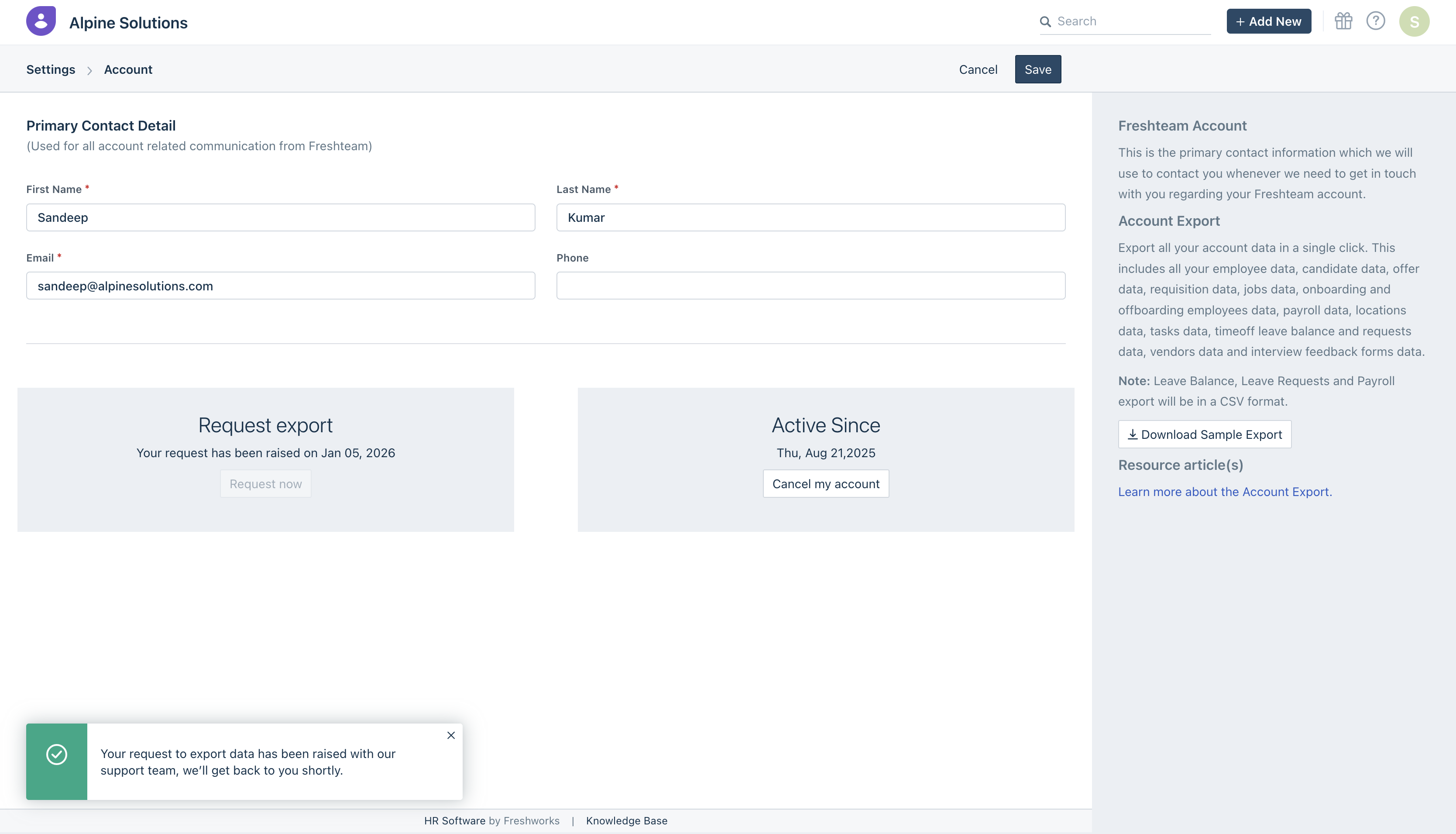
2. Once the request is initiated, a confirmatory pop-up will be shown below. You will get notified over email once the data is available for download. You can come to the same page and click on the download option.
1. What data will be included in the account export?
- Candidate data, Offer data, Requisition data, Jobs data, Interview feedback forms data
- Employee data, Onboarding and Offboarding employees data, Payroll data
- Tasks data, timeoff leave balance and requests data
- Locations data and Vendors data
Note: Sample format of data can be downloaded from the right pane in the account export page.
2. What changes should customers expect on the Deprecation start date (05th Jan 2026)?
- Customers account will continue to function normally as earlier
- A banner will be displayed in the account with the deprecation notice and this will be visible only for account admins
- Data export option will be available in the customer account
- Until the customers subscription active there will be no changes in the account
- After 60 days - All free customers subscription will end
- Annual and Half-yearly renewals will be cancelled.
- Monthly subscription renewals will be available.
3. Post account subscription cancellation, how long can customers download data?
- Paid customers - Customers will be able to download data for 90 days post the expiry of the account
- Free customers - Customers will be able to download data for 14 days post the expiry of the account
4. Can customers renew their subscription after the deprecation start date?
- Yes, customers can renew their subscription till Mar 1, 2026
- Customers are advised to not renew longer subscription (Annual/Half-yearly) starting Mar 1st 2026
- Post Mar 1, 2026 monthly subscription renewals will still be available
- This is available till June 1st - Beyond June 1st, 2026 no renewals will be possible in the account.
5. Do we provide a refund for the current subscription?
- No, customers can use the product until they complete the current subscription period.
6. What will happen post the download period after account cancellation?
- The account data will be deleted post 90 days for Paid accounts cancellation and 14 days for Free account cancellation.
- Hence customers are advised to download the data within this period.